How to Share Construction Progress Updates with Clients Using Time-Lapse Videos
Clients do not understand construction schedules, but they absolutely understand visual stagnation. You can send a partner a meticulously formatted spreadsheet showing a forty percent completion metric on structural concrete, and they will still call you frantic because the live site photo looks identical to the one you sent last Tuesday. The gap between technical project tracking and client perception is a major source of friction in commercial and residential management. Bridging that communication gap requires changing the format of your evidence entirely.
Providing clear, undeniable proof of your internal velocity prevents misunderstandings before they turn into delayed milestone payments. If your client can see the physical evolution of their asset in a condensed, high-impact format, the need for defensive phone calls evaporates. Automating this reporting layer is the leanest way to manage client anxiety and keep your field teams focused on production.
The Friction of Text-Based Reporting
Traditional progress updates are a major administrative drain that usually fails to satisfy the end user. When a project manager spends three hours every Friday afternoon compiling cell phone photos and PDF summaries, you are burning expensive billable hours on a highly subjective document. If a client cannot clearly decipher the work completed beneath the scaffolding, they assume nothing happened over the week.
This misalignment creates a cycle of constant micro-reporting. A developer managing a commercial build in North London found his project managers spending upwards of twelve hours a week simply replying to client emails regarding daily site velocity. The paperwork was technically perfect, but the client could not visualize the active construction progress through the administrative jargon.
Integrating structured visual media fundamentally shifts this dynamic. Showing a client a compressed sequence of twenty structural columns rising out of the ground in twelve seconds provides an instant baseline of understanding that text logs cannot replicate.
A client who cannot visualize your daily effort will naturally assume your project is drifting behind schedule.
Moving away from manual photo diaries toward an automated system allows you to standardize your reporting architecture across your entire portfolio.
Selecting the Right Production Infrastructure
Many business owners try to build a makeshift solution using cheap consumer equipment or security webcams. This is an operational error that leads to low-resolution results and frequent hardware dropouts. Managing an enterprise-level archive requires working with an experienced time lapse video company that provides industrial, weatherized hardware linked directly to a dedicated cloud platform.
A professional time lapse video company does not just sell you a camera; they deliver a managed remote pipeline. The hardware captures uncompressed, high-bitrate frames at precise intervals, utilizing advanced exposure logic to smooth out harsh afternoon shadows and sudden cloud transitions. This ensures the output looks like a high-end commercial presentation rather than shaky security footage.
Choosing a specialized construction time lapse company ensures your hardware features built-in automated scheduling. This allows you to restrict capture sequences exclusively to active work shifts, avoiding thousands of identical dark frames shot during weekend shutdowns.
Industrial-grade time-lapse is an ongoing data management solution, not a standalone hardware purchase.
When your visual record is managed externally by a reliable construction time lapse company, your project management team can access clean, export-ready assets without spending a single minute editing files.
Constructing a Fail-Safe Sharing Schedule
The secret to a successful visual update strategy is consistency and control. You do not want to give clients a completely unfiltered look at every single minute of the working day, as minor logistical delays or material delivery gaps can trigger unnecessary concern. Instead, establish a structured cadence for your construction progress exports.
Project Phase ──> Sharing Cadence ──> Asset Format
Foundations ────> Bi-Weekly ────────> 30-Second High-Impact Clip
Structural ─────> Weekly ───────────> Live Web Portal Access
Finishing ──────> Monthly ──────────> Drone Aerial Overlay
The most effective approach is providing your anchor clients with a private, password-protected web portal where the cloud server pushes a fresh, automated 4K compilation every Monday morning. The client can review the physical transformation on their own schedule without requiring a live walkthrough or a defensive progress review meeting.
For large-scale master-planned developments where stakeholders need to evaluate massive geographic boundaries, supplementing your fixed camera positions with monthly Drone Timelapse Services adds an elite layer of spatial context that ground-based hardware cannot achieve.
Automating your delivery schedule trains the client to expect structured updates instead of calling your superintendent ad-hoc.
This systematic approach transforms your communication pipeline from a reactive defense mechanism into an elegant, value-add service.
Consolidating Your On-Site Technology Footprint
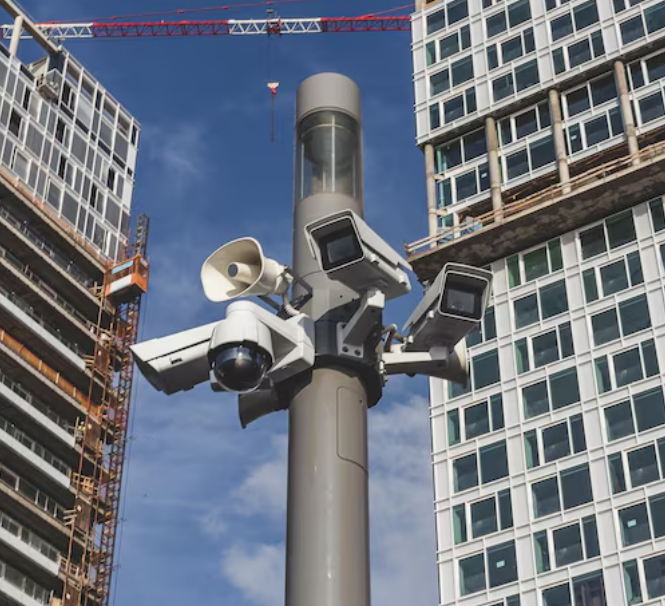
A common logistical blunder on major commercial sites is cluttering columns with redundant monitoring hardware. A company will often hire one provider to mount a dedicated site security camera for asset protection, another team to run standard Timelapse Service for Construction, and a third vendor to manage the marketing time-lapse loop.
This overlapping layout leads to inflated data plan costs, mounting bracket interference, and conflicting vendor liabilities. Modern industrial platforms solve this by offering dual-stream architecture from a single, robust position. A high-end site security camera can handle your live perimeter monitoring while simultaneously saving pristine, uncompressed frames to a distinct cloud directory for your long-term time-lapse sequence.
Consolidating your infrastructure reduces your upfront deployment costs and ensures that your visual construction progress pipeline remains completely clean, uncompressed, and ready for stakeholder distribution at a moment’s notice.
Debunking the Transparency Myth
Traditional field superintendents often push back against continuous visual sharing because they worry it invites client micromanagement. They fear that a client will spot a minor mistake on the floor in real-time and call the office furious before the field team has a chance to correct the variance naturally during the shift.
In practice, the exact opposite occurs. When a client has access to a continuous, high-quality visual record, they see how quickly mistakes are identified and resolved by your crews. It highlights your structural competence and builds deep institutional trust, which is highly valuable when navigating complex change orders or unexpected material delays.
Frequently Asked Questions
How long should a standard construction progress video be for a monthly update?
For standard monthly stakeholder reviews, keep the total running time between thirty to sixty seconds. Anything longer loses its narrative punch and begins to feel like repetitive background noise rather than a high-impact overview of your construction progress.
Can we utilize standard security camera feeds for professional time-lapse delivery?
No. Security networks prioritize high-compression video streaming over static image clarity. The resulting frames are usually too blurry, compressed, and distorted to create a smooth, professional presentation that can be used for client reporting or marketing.
How do you handle client sharing when weather delays halt the site entirely?
You should maintain your standard update schedule but include a brief, honest text note alongside the automated clip. Seeing the site handle heavy weather via your construction progress portal helps the client understand the physical reality of the delay, neutralizing any suspicion of poor management.
What is the best height to mount an industrial progress camera?
The ideal installation height is between fifteen to twenty-five feet on an immovable structure like a concrete pillar or a dedicated utility pole. This height prevents heavy equipment from blocking the frame while protecting the hardware from localized site dust and vandalism.
Managing client expectations through the lifecycle of a major build is an exercise in proactive data distribution. By replacing subjective manual reports with crisp, automated visual evidence, you eliminate the friction of misaligned expectations and protect your management team’s billable hours. Let your actual daily production speak for itself through a structured, high-resolution visual record.